Learning how to run a medical practice rarely fails at the clinical part. It fails at 6 PM on a Tuesday, when the day looked fine on the calendar, and the reality is three intake forms that never came back, four unwritten notes, and no idea whether the client who paid cash this morning was recorded anywhere.
This guide is for solo chiropractors, massage therapists, and owners of small wellness clinics, roughly one to ten people. We will cover the three jobs you do at once: treating patients, running the administration, and keeping the business solvent, showing you how to keep everything under control without breaking the bank.
Table of Contents
- How to Run a Medical Practice Successfully?
- Daily, Weekly, and Monthly Wellness Practice Checklist
- Common Mistakes That Make a Wellness Practice Harder to Run

How to Run a Medical Practice Successfully?
Run it as a documented system rather than a set of habits in one person’s head.
A small practice works when every recurring task has a defined owner, a defined trigger, and a place where it is recorded, so nothing depends on anyone remembering it at the end of a long day.
That principle is also the short answer to how to manage a wellness practice of any size, because the failure mode does not change as you grow. It only multiplies.
Nine responsibilities make up the system:
- Establish your services, policies, and regulatory responsibilities
- Set prices and appointment capacity that support the business
- Build a reliable booking and scheduling process
- Organize the patient journey from intake to checkout
- Keep patient records and clinical notes organized
- Manage billing, payments, and cash flow
- Assign responsibilities and write simple operating procedures
- Attract suitable patients and support continuity of care
- Choose practice management software around your workflow
Let’s now have a closer look at each to see how everything connects into a bigger picture.
1. Establish Your Practice’s Services, Policies and Responsibilities
Start with a short written service menu: what you offer, how long each service takes, what it costs, and who is qualified to deliver it. Add your cancellation, no-show, and late arrival policies before you need them.
The regulatory part resists a generic checklist, because licensing and scope of practice are set by each state’s practice act and board rather than nationally. The Bureau of Labor Statistics says chiropractic requirements “vary by state” and directs practitioners to “contact your state’s board of chiropractic examiners.”
Massage is more varied still: the Federation of State Massage Therapy Boards reports mandatory licensure in 49 states and territories, registration in Vermont, voluntary certification in California, and no state regulation in Kansas, Minnesota and Wyoming, where county or municipal ordinances may still apply.
Check your own board, and check again if you move.
One widely misunderstood point is worth settling early. Under HIPAA, a health care provider is a covered entity only if it “transmits any health information in electronic form in connection with a transaction covered by this subchapter.” A genuinely cash-only practice that never sends claims, eligibility checks or claim status inquiries electronically may fall outside that definition.
Two cautions apply: any covered transaction counts, not just claims, and a billing service doing it on your behalf counts as you doing it.
💡Recommended Reading
2. Set Prices and Appointment Capacity That Support The Business
Your price has to cover more than the hour on the table. It can include the twenty minutes of documentation, the room turnover, the no-show nobody filled, the unpaid admin, and your own time off.
Choose a payment model first.
- Cash-pay means collecting at checkout, so cash flow matches the calendar with no claim submission and no reimbursement lag.
- Insurance means a copay at the visit and weeks of waiting for the rest, with denials, resubmissions, and eligibility checks as permanent admin work.
- Hybrid splits the difference.
💡Recommended Reading
A middle option gets confused with insurance billing. Issuing a superbill is not billing insurance: you collect in full at the visit and hand the patient a document with the codes they need to seek reimbursement themselves. The admin burden stays small and the money arrives on the day of service.
Then work out how many completed visits you need.
The arithmetic below uses illustrative figures only. Every number is an assumption to replace with your own, and none is a benchmark.
- Monthly fixed costs, $2,400: rent $1,800, software $56, professional insurance $150, supplies $120, marketing $200, continuing education set aside $74.
- Personal income you need, $4,000 a month. Entirely individual, and the number most likely to differ from yours.
- Average collected per completed visit, $90, after discounts.
That gives $6,400 to cover, divided by $90, which is 72 completed visits a month. Across four working days a week, roughly 4.5 completed visits a day.
The word doing the work is completed. If 10% of bookings end as no-shows or late cancellations, you need about 80 booked appointments to complete 72. Capacity planning that ignores the gap is how practices end up fully booked and still short.
3. Build a Reliable Booking and Scheduling Process
Decide how patients book and make one route the main one. Phone-and-callback works until you are on the table, which is most of the day.
Online booking that shows real availability solves the structural problem: the practice stays bookable while the practitioner is not. Add per-service durations and buffer time so the calendar reflects reality rather than optimism, and set a cancellation window matching the policy you wrote in step one.
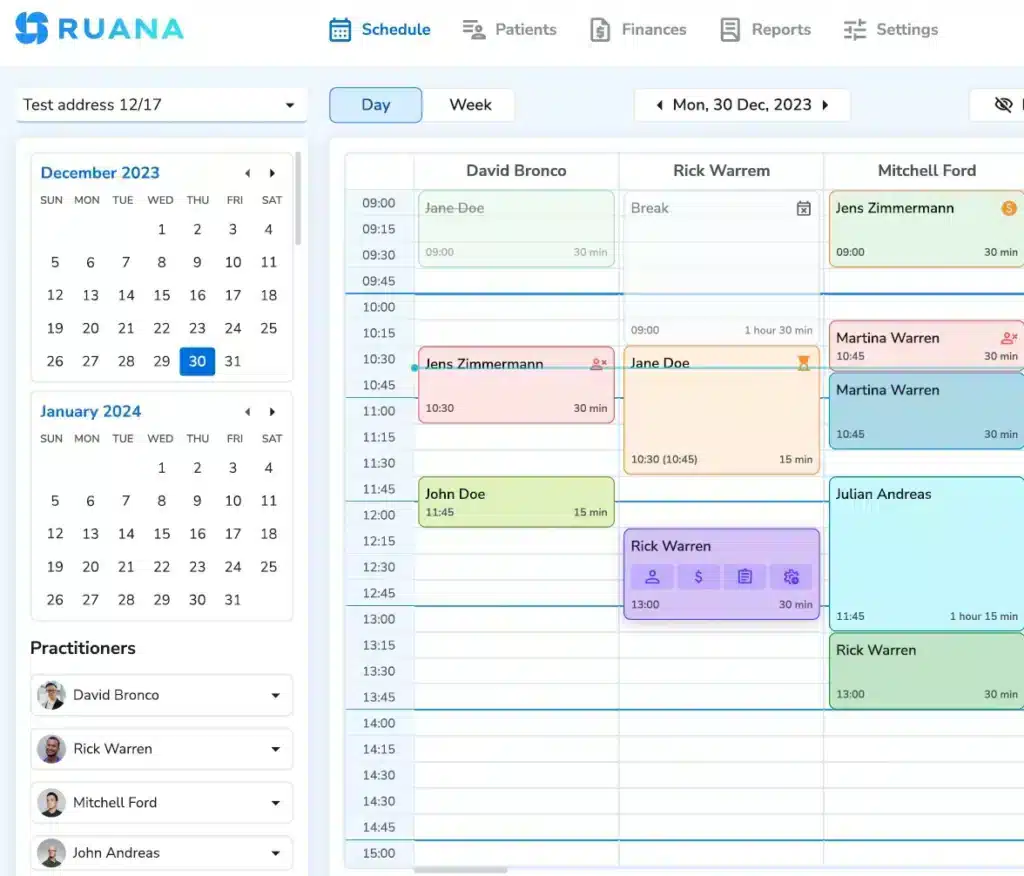
Reminders are the other half: confirmation at booking, a reminder before the appointment, and automatic logging of cancellations and no-shows so the pattern is visible rather than anecdotal.
See how scheduling and appointment reminders fit together.
4. Organize The Patient Journey From Intake to Checkout
Map the sequence once and fix the handoffs: booking, intake, preparation, session, documentation, checkout, rebooking.
Most wellness practice management problems live in the gaps between those steps rather than inside them. Intake sent at booking rather than handed over on a clipboard. The record is open before the patient walks in, not retrieved afterwards. A note started while the session is fresh. Checkout that already knows the service and price. The next appointment is booked while the patient is still at the desk, which is the easiest moment it will ever be.
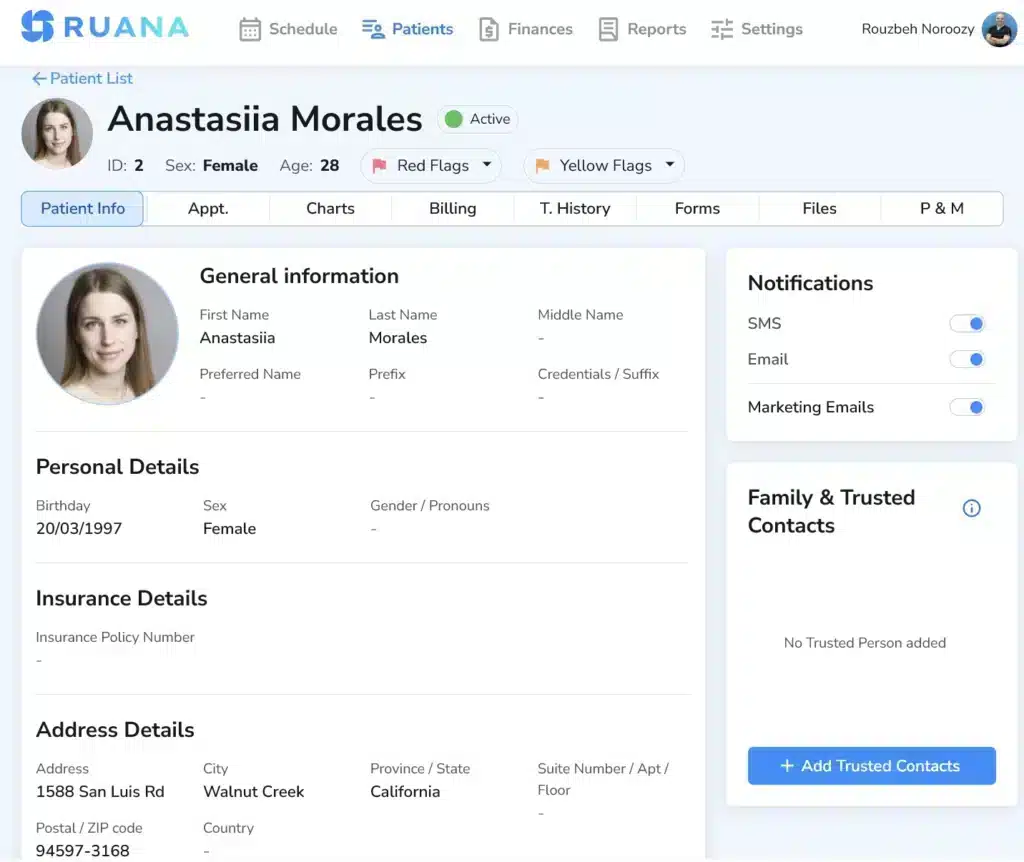
Write the sequence down as it actually runs, then mark every point where someone retypes information that already exists. Those are your targets.
5. Keep Patient Records and Clinical Notes Organized
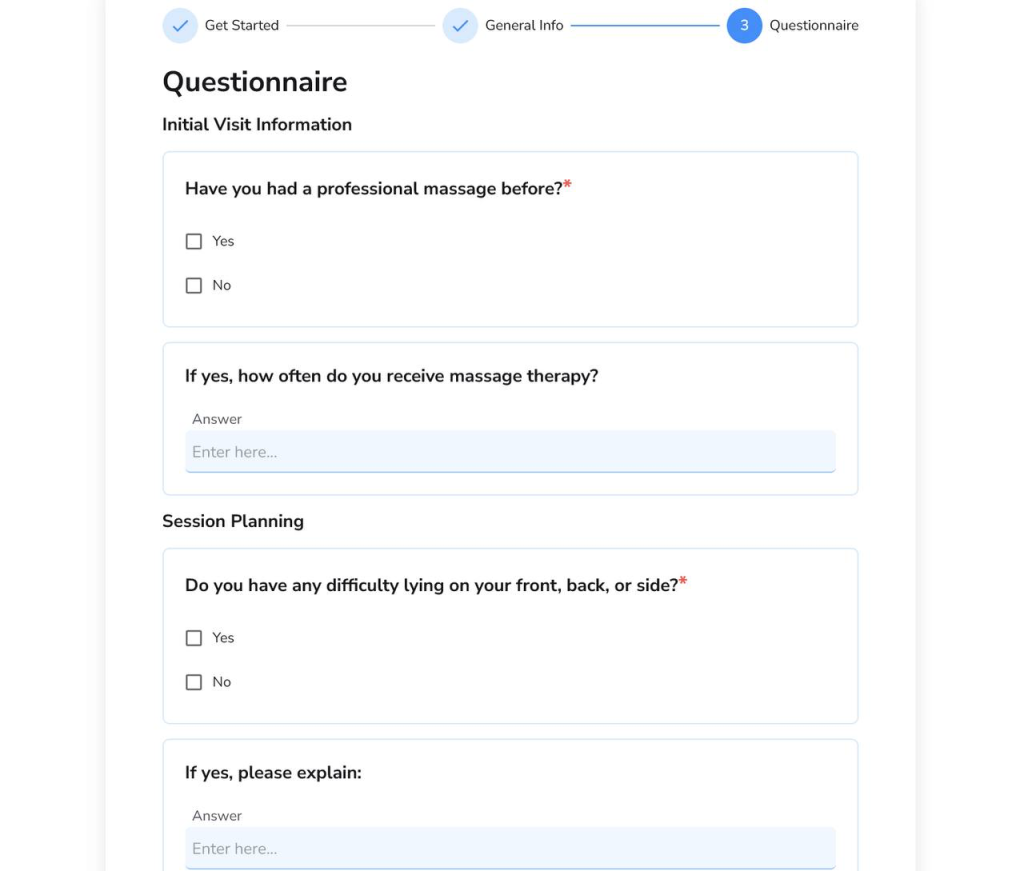
One record per patient: contact details, health history and intake responses, appointment history, clinical notes tied to the visit that produced them, consents, and payment history.
Notes are where small practices fall behind first, because documentation is the one task with no patient waiting for it. The fix is structural rather than motivational: templates so you edit instead of compose, body charts where the useful information is spatial, and drafts plus a visible list of what is still outstanding.
On retention, clear up a common myth. HHS states that “the HIPAA Privacy Rule does not include medical record retention requirements” and that “State laws generally govern how long medical records are to be retained.” The six-year figure people cite comes from a different rule covering Privacy Rule documentation, not clinical records. Your retention period comes from your state and your board.
6. Manage Billing, Payments and Cash Flow
Collect at the point of service wherever your model allows it. A balance that leaves the building is much harder to collect than one settled at the desk.
Three things need to exist: an invoice or receipt produced automatically for every visit, a list of outstanding balances you can actually look at rather than a mental note, and refunds and adjustments recorded at the moment they happen.
If you serve patients who claim reimbursement, understand what you are producing. Our guide on what a superbill is covers the details, and the payment and billing page shows what checkout should look like.
Separately from daily collection, know three monthly numbers: revenue, fixed costs, and completed visits. Running a private practice without them is flying on feel.
💡Recommended Reading
7. Assign Responsibilities and Create Simple Operating Procedures
Every recurring task needs a named owner, even when the name is yours. Unclear ownership is the most common reason things get done twice or not at all.
Write procedures as one page each, not a manual. The format that works is a trigger, a sequence of steps, and a definition of done. “New patient books” triggers “send intake form, confirm receipt 24 hours before, flag to practitioner if missing,” and is done when the form is on the record.
In a multi-practitioner clinic, add access roles. Front desk staff need to manage bookings and payments without opening clinical documentation, and that boundary belongs in the software rather than in trust.
8. Attract Suitable Patients and Support Continuity of Care
Two separate jobs, and most small clinic management advice covers only the first.
New patients come from a complete Google Business Profile, a website answering what you treat, where you are and how to book, and reviews you ask every patient for in the same way at the same point in their care.
Continuity is cheaper and more often neglected. A patient who finished a treatment plan four months ago is a warmer prospect than anyone who has never met you, but acting on that requires knowing who has not been back, which requires records that can tell you. Back to step five.
9. Choose Practice Management Software Around Your Workflow
Evaluate against the sequence you wrote in step four, not against a feature list. Nearly every platform in this market lists booking, notes and invoicing; what separates them is whether those pieces connect.
Take one real appointment and walk it through a trial from booking to rebooking, counting the points where you retype something the system already knows. That number is what you are buying or avoiding. Our guide to choosing practice management software goes deeper.
Daily, Weekly, and Monthly Wellness Practice Checklist
| Frequency | Suggested checks | What it catches |
|---|---|---|
| Daily | Tomorrow’s schedule, incomplete intake forms, room and equipment readiness, unfinished notes, checkout completed, payments recorded, urgent messages answered | Problems that become tomorrow’s emergency if left overnight |
| Weekly | Unpaid balances, cancellations and no-shows, supply levels, staff coverage for next week, unanswered enquiries, recurring workflow problems | Patterns invisible day to day, such as one time slot that always cancels |
| Monthly | Revenue against expenses, appointment utilization, completed versus booked visits, marketing results, upcoming renewals and insurance, staffing needs | Drift in the numbers from step two, before it becomes a cash problem |
| Quarterly | Prices against costs, policies that are not being enforced, software you pay for and do not use, continuing education and licence renewal dates | Slow decay that no weekly review will surface |
The checklist works because the horizons catch different kinds of failure.
- Daily checks cover the next 24 hours and should take ten minutes.
- Weekly checks surface patterns, which makes the weekly review the one most worth protecting: a single cancellation is noise, four cancellations in the same Thursday slot is information. Monthly checks are the business review, and the only place the arithmetic from step two gets tested against reality.
Treat it as a starting template rather than a prescription. Adapt the items, assign each line to a person as in step seven, and put the weekly and monthly reviews in the calendar as appointments with yourself. A checklist nobody has scheduled is a list of good intentions.
Common Mistakes That Make a Wellness Practice Harder to Run
Just to name a few, here are some of the mistakes we used to deal with in our own practice:
- Pricing without accounting for non-treatment time. The hour on the table is not the only hour. Build documentation, turnover, and admin into the price, as in step two.
- Booking beyond sustainable capacity. A calendar that only works if nothing goes wrong is a calendar that does not work. Plan around completed visits, and leave room for the week that goes sideways.
- Leaving task ownership unclear. Anything owned by everyone is owned by nobody. Name an owner for every recurring task, per step seven.
- Letting notes and unpaid balances accumulate. Both are easier to clear daily than monthly, which is exactly why they appear on the daily line of the checklist.
- Buying software without testing the full workflow. A feature list tells you nothing about the handoffs. Walk a real appointment through a trial first.
- Expanding before existing operations are dependable. Hiring a second therapist multiplies whatever system you already have. If it leaks at one practitioner, it leaks faster at three, which is why how to run a medical practice at scale is mostly a question of what you fixed while you were small.
Conclusion
Pick the operational problem that keeps recurring in your practice. Not the biggest one, the most repetitive one. Give it an owner, write the procedure on a single page, and decide in advance which number tells you whether it improved. Check that number in a month.
That loop, repeated, is most of what practice management for therapists consists of.
Frequently Asked Questions
Can a solo therapist run a practice without a receptionist?
Yes, and most do. What replaces the receptionist is automation rather than willpower: online booking so patients can book while you are with someone else, intake forms that send themselves, automatic confirmations and reminders, and self-service rescheduling so changes do not generate phone calls. The jobs still exist. They just need to happen without a person doing them each time.
How much does it cost to run a wellness practice each month?
It depends almost entirely on whether you rent a space and whether you employ anyone, so no honest answer is a single number. Budget for premises, professional and liability insurance, practice management software, supplies and linens, licensing and continuing education, marketing, payment processing fees, and your own tax provision. Price each line for your situation, add your required personal income, and divide by your average collected amount per visit, as in step two.
What is the difference between an EHR and practice management software?
An EHR is built around the clinical record and designed so health information can be shared between providers. Practice management software is the operational layer: scheduling, booking, intake, invoicing, reporting and the administrative side of patient records. Many small wellness practices need the second rather than the first, because they are not exchanging records across a health system. The distinction matters at purchase, since EHR platforms carry complexity and cost a solo massage or chiropractic practice will never use. Our overview of what practice management software is covers it.